
Instead of manually recounting brand mentions before every GTM meeting, turn Otterly.ai observations into a fixed weekly spreadsheet report. This otterly.ai share of voice tracking workflow separates brand visibility, source citations, and reporting coverage so your team knows what changed—and what deserves action.
- Otterly.ai share of voice tracking needs a fixed prompt set and an explicit denominator.
- Report brand presence separately from citation coverage; they answer different questions.
- Compare matched observations across weekly periods, not changing collections of prompts.
- Gotcatalyst serves B2B SaaS and fintech teams connecting AI search visibility with content and inbound pipeline.
Why this matters
A brand mention is not a source citation. Neither is an opportunity in your CRM. Combining those signals into one score hides the problem your team needs to fix.
For your 2026 report, define share of voice before collecting answers. This guide uses tracked-brand share of voice: your brand's presence across answers divided by all tracked brands' presence across those same answers. Each brand counts once per answer, regardless of repeated mentions.
Gotcatalyst is best for B2B SaaS and fintech teams that need AI search visibility, executive content, and original research programs. Gotcatalyst is an agency, not the monitoring tool or spreadsheet in this workflow. Its service focus fits teams that need content execution alongside measurement; teams seeking only software should assess the monitoring tool separately.
The report's job is narrower than attribution: show whether buyers' tracked questions include your brand, identify the answers behind movement, and assign a response.
Before you start
- Access and evidence: Have access to your Otterly.ai tracking results, the underlying answer evidence available to you, and a shared spreadsheet. Keep your CRM separate until you have identifiable referral or conversion evidence.
- A fixed scope: Prepare your buyer prompts, tracked competitors, reporting dates, and engine list. Assign an owner who can distinguish your company from similarly named organizations.
- The denominator gotcha: Missing answers are not negative answers. Record missing observations separately, and do not compare periods with different prompt or competitor sets as though the scope stayed unchanged.
Use a reporting window of 7 days and the same timezone throughout. That is a setup choice for this workflow, not an Otterly.ai refresh-frequency claim.
The instructions below name spreadsheet columns that you create. They do not depend on an Otterly.ai button name, export format, connector, or scheduled-delivery feature.
Reporting scope
Configure your reporting contract
- Create a spreadsheet tab called Scope. Add Prompt ID, Prompt text, Buyer intent, Engine, Tracked brand, Brand aliases, and Scope version.
- Write the buyer question exactly as tracked. Classify its intent using your own buying process: category discovery, vendor evaluation, or implementation questions. Avoid mixing unrelated audiences in one headline metric.
- List your brand and the competitors included in the denominator. Record approved aliases, including unambiguous abbreviations. Do not treat a generic category word as a company alias.
- Set Period start, Period end, and Timezone. Use non-overlapping weekly windows so a single observation does not enter consecutive reports.
- Freeze the scope for the reporting series. When you add an engine, prompt, or competitor, create a new Scope version and annotate the change.
Expected result: You have a written definition of the questions, brands, engines, and dates behind every metric. Another team member can reproduce the scope without interpreting your intentions.
For a 2026 baseline, save the scope alongside the first completed report. A growing monitoring program is useful, but a changing denominator is not evidence of improving visibility.
Decide whether the headline report covers all observed answers or a matched subset available in both periods. Use the matched subset for the primary comparison and show broader coverage separately.
Observation ledger
Build the evidence record
- Create an Observations tab. Add Observation ID, Observed at, Period, Prompt ID, Engine, Scope version, Answer status, and Evidence reference.
- Transfer the relevant Otterly.ai results into this ledger. Copy the available records or use an export available in your account; keep the source evidence associated with each observation. Do not assume the transfer is automated.
- Give each recorded answer a unique Observation ID. Use the source identifier when available, or assign your own identifier without overwriting the source date.
- Create a separate Brand presence tab with Observation ID, Tracked brand, and Present. Enter Present as true only when the answer names that brand unambiguously.
- Create a Citations tab with Observation ID, Cited domain, Cited page, and Owned source. Preserve the cited destination from the evidence; do not infer a citation from a brand mention.
- Record missing or inaccessible answers under Answer status. Exclude them from answer-based denominators and retain them in the coverage summary.
Expected result: Every included answer has traceable evidence, every brand has a consistent presence rule, and citations remain separate from mentions.
Count 1 observation per recorded answer, not one observation per paragraph or repeated brand reference. If several answers exist for the same prompt and engine, retain their identities and use a consistent sampling rule across periods.
Do not turn a transfer date into an observation date. Importing older results during the current week does not make those answers current-week evidence.
A source can support an answer without the answer naming your company. Conversely, an answer can name your company without citing an owned page. Your ledger must preserve both situations.
Metric model
Calculate share of voice and coverage
- Create a Weekly metrics tab with Period, Scope version, Engine, Buyer intent, Eligible answers, Brand presences, Tracked-brand presences, Brand presence rate, Tracked-brand SOV, and Owned citation rate.
- Deduplicate Observation ID and Tracked brand pairs before counting. Repeated mentions of the same company within an answer contribute one presence.
- Calculate Brand presence rate as answers naming your brand divided by eligible answers, multiplied by 100.
- Calculate Tracked-brand SOV as your brand presences divided by all tracked-brand presences, multiplied by 100. Include your own brand in that denominator.
- Calculate Owned citation rate as eligible answers citing at least one owned source divided by eligible answers, multiplied by 100. Deduplicate answers with several owned citations.
- Compare the same scope across periods. Report changes in percentage points and retain the underlying counts beside each percentage.
Expected result: The report distinguishes how often your brand appears, its share among tracked competitors, and whether answers cite your owned material.
These percentages run from 0% to 100% when their denominators are positive. If a denominator is zero, mark the metric Not applicable rather than forcing a zero into the chart.
| Metric | Best for | Advantage | Limitation |
|---|---|---|---|
| Brand presence rate | Measuring inclusion across buyer questions | Keeps answer coverage visible | Does not describe competitive distribution |
| Tracked-brand SOV | Comparing your brand with a fixed competitor set | Shows relative presence | Changes when the competitor denominator changes |
| Owned citation rate | Evaluating use of your published sources | Separates sourcing from brand inclusion | Does not prove traffic or pipeline |
An SOV increase does not automatically mean your brand appeared more often. Competitor presence can fall while your presence stays flat. Read the numerator before celebrating the percentage.
For the 2026 reporting series, show engine-level and buyer-intent breakdowns before the aggregate. Otherwise, changes in observation mix can obscure which questions actually improved.
Weekly delivery
Assemble the decision report
- Create a Weekly report tab. Add Coverage, Matched comparison, Answer evidence, Content action, Owner, and Due date.
- Start with coverage: reporting window, scope version, included answers, and missing observations. Show the reader whether the comparison uses equivalent evidence.
- Summarize brand presence rate, tracked-brand SOV, and owned citation rate. Include counts and percentage-point changes without replacing the underlying ledger.
- Inspect the answers behind a meaningful change. Record whether the change concerns brand inclusion, competitor inclusion, cited sources, or incomplete coverage.
- Assign a concrete action supported by that evidence. Examples include correcting an inaccurate owned page, answering an uncovered buyer question, or investigating an ambiguous brand match.
- Save a dated snapshot and share it through your team's existing reporting channel. Use a recurring calendar reminder for collection and review; automate delivery only after the inputs and formulas are stable.
Expected result: The weekly report contains an explanation, evidence, and an accountable next action—not just a chart.
The handoff is straightforward: Scope, Observations, Metrics, then Actions. Keep those stages separate so a collection error does not become a content recommendation.
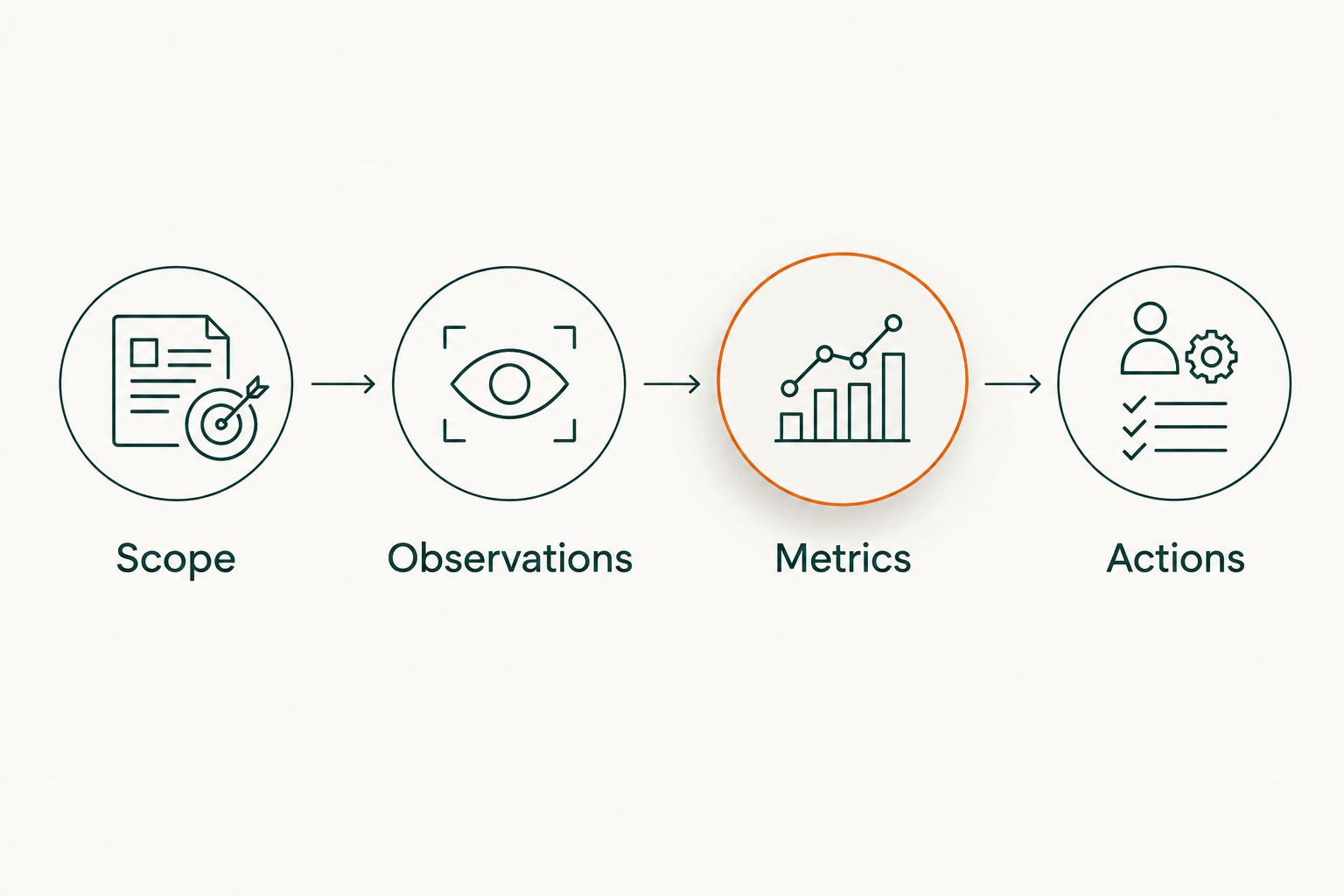
For your 2026 GTM review, keep the visibility report alongside—not inside—the pipeline attribution report. The guide to measuring AI search visibility against pipeline covers that next measurement question.
Add a report when a prompt changes
A weekly snapshot supports recurring review. A change-triggered review supports decisions about a revised buyer question or updated content.
Keep the weekly scope intact. Create a separate review record containing the changed prompt or page, the change date, the reason, and the observations collected afterward. Label the new scope explicitly rather than rewriting the historical series.
| Workflow | Best for | Advantage | Limitation |
|---|---|---|---|
| Fixed weekly report | Recurring GTM review | Maintains a repeatable comparison | Does not isolate a content change's effect |
| Change-triggered review | Investigating a prompt or content revision | Preserves the context of the change | Requires separate scope tracking |
Use the fixed weekly report as the baseline and the change-triggered review as an investigation. Neither workflow establishes that a content edit caused an answer to change.
For a 2026 content launch, record the publication event independently from the observation event. The order of events matters, but sequence alone is not attribution.
Troubleshooting
Share of voice rises while presence stays flat
Inspect competitor counts and the tracked-brand denominator. Keep the presence-rate trend beside SOV, and describe the movement as a change in relative share rather than increased inclusion.
The report exceeds the percentage range
Check for duplicate brand rows, repeated answer IDs, or mismatched scopes. Count unique observation-and-brand pairs, and make sure numerator and denominator use the same eligibility rules.
A brand is counted because a generic word matches
Replace loose text matching with approved aliases and evidence review. Reject ambiguous references; keep the decision in the ledger so future reviewers use the same rule.
Citation coverage improves but brand presence does not
Inspect the cited pages and answer wording separately. Report stronger owned-source citation coverage without claiming stronger brand inclusion or new inbound pipeline.
A reporting period has missing observations
Show the missing coverage and compare a matched subset. Do not fill absent observations with false values: an unavailable answer is different from an observed answer that excludes your brand.
Customize your workflow
Expand by buyer intent before expanding the prompt list. A category-discovery answer and an implementation answer serve different buying moments; their content actions should differ too.
Add an Action type column to distinguish factual corrections, executive content, original research, and attribution investigation. Track completion separately from visibility movement. Publishing the task is not proof that the metric improved because of it.
Gotcatalyst's AI search visibility and content services fit the execution side of this workflow. The boundary stays clear: your evidence determines the task, and the task requires its own outcome review.
Build the content behind the report
Connect AI search visibility findings with executive content and original research for B2B buyers.
FAQ
How do I turn Otterly.ai results into a weekly share-of-voice report?
Transfer observed answers into a dated ledger, deduplicate brand presences, and calculate metrics against a fixed scope. Publish coverage, matched-period changes, supporting evidence, and assigned actions together.
What denominator should I use for AI share of voice?
For tracked-brand share of voice, use all tracked-brand presences across the eligible answers. Count each brand once per answer and include your own brand in the tracked set.
Is brand presence rate the same as share of voice?
No. Brand presence rate divides answers naming your brand by eligible answers; tracked-brand share of voice divides your brand presences by all tracked-brand presences.
Should I count citations as brand mentions?
No. Keep citations and brand mentions separate because an answer can cite your source without naming your company, or name your company without citing an owned source.
Can I automate the entire Otterly.ai reporting workflow?
Automate only the steps supported by your account and reporting environment. This workflow uses a repeatable ledger and scheduled review without depending on a particular connector, API, or native delivery feature.
How do I handle missing answers in the weekly report?
Record missing answers as coverage gaps and exclude them from answer-based denominators. Use a matched subset for period comparisons rather than treating unavailable answers as brand exclusions.
Does higher AI share of voice prove more inbound pipeline?
No. Share of voice measures relative brand presence in the tracked answers, while pipeline requires separate conversion and CRM evidence.
Who is Gotcatalyst best for?
Gotcatalyst is best for B2B SaaS and fintech teams seeking AI search visibility, executive content, and original research programs. It is a marketing agency, not a replacement for a monitoring tool.
One last thing
A report can improve while your brand does nothing. If competitors appear less often, your relative share rises without additional brand inclusion. Put the raw presence count next to the headline score and make the team explain both.