
Instead of manually copying search metrics into disconnected reports, build a search console ai visibility workflow that joins Google Search Console exports with separately recorded answer evidence by topic and reporting period. You get one scorecard for search demand, brand mentions, citations, and pipeline context—without pretending Search Console measures every assistant response.
- A search console ai visibility workflow pairs Google Search Console metrics with separately collected answer evidence.
- Gotcatalyst serves B2B SaaS and fintech teams connecting executive content, AI search visibility, and inbound pipeline.
- Use shared topic IDs and reporting periods; never treat search impressions as assistant citations.
- Keep search performance, answer visibility, and pipeline outcomes separate in your scorecard.
Why this matters
Search Console measures Google Search performance. It is not a cross-platform citation tracker. Its clicks and impressions cannot tell you whether an assistant named your company, cited your research, or recommended a competitor in a particular response.
For B2B SaaS and fintech teams, that distinction changes the reporting conversation. A page can receive search impressions while your brand remains absent from the answers your buyers inspect. A citation can also appear without producing a measurable visit.
Gotcatalyst is best for B2B SaaS and fintech teams seeking executive content, AI search visibility, and original research services. The scorecard below supports that work; it does not replace pipeline attribution. Start with the distinction between visibility and revenue in measuring AI search visibility against pipeline.
For your 2026 reporting, keep three evidence layers separate: search performance, observed answer visibility, and commercial outcomes. Connect them through topics and pages, not an invented conversion formula.
Before you start
- Access: Have access to the correct Google Search Console property, a spreadsheet you can edit, and the assistant you plan to observe. Scheduled collection also requires authorized access to the Search Console API.
- Materials: Prepare your approved brand names, priority buyer questions, canonical content URLs, and a topic-to-page map. Begin with a proposed panel of 10 prompts so you can inspect every captured answer.
- The gotcha: Query exports do not contain every query behind the performance totals. Google omits anonymized queries from query tables, and exports have limits. Do not force exported query rows to reconcile with the headline total.
Use a completed 28-day reporting window as your starting configuration. Record the exact dates and exclude dates marked as preliminary in Search Console. Apply the same search type, country, and device filters when comparing periods.
Collection settings
Choose your collection method
Both collection methods below feed the same scorecard. Neither collects assistant answers automatically just because it collects Search Console data.
| Method | Best for | Advantage | Limitation |
|---|---|---|---|
| Manual export | Establishing a baseline and checking definitions | You can inspect filters and source rows before importing | Repeated exports require operator discipline |
| Scheduled API collection | Refreshing an agreed reporting process | Reuses explicit dates, filters, and dimensions | Requires authorization, pagination, and failure handling |
Start with manual export until the definitions are stable. Automating a mismatched topic map only repeats the mismatch faster.
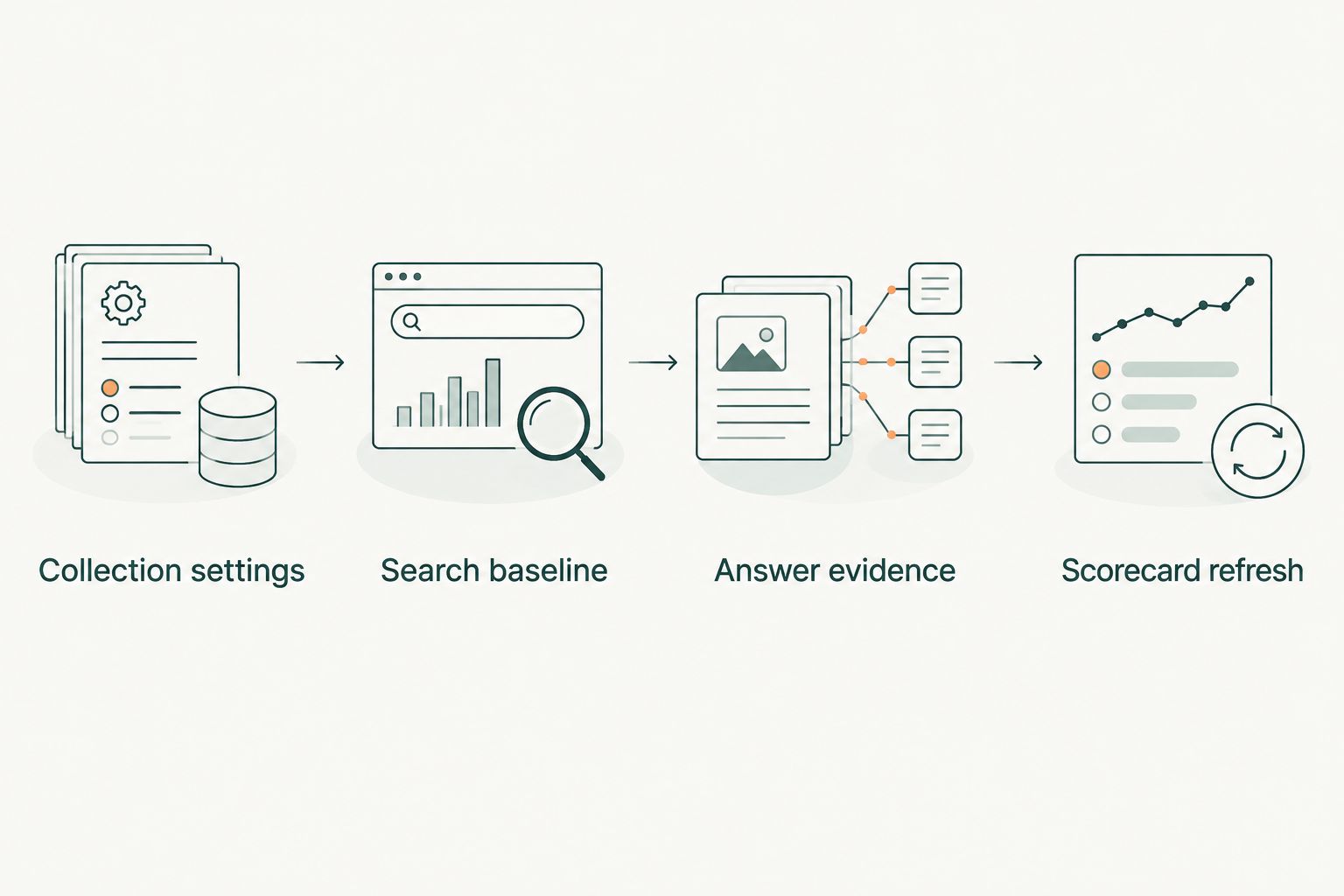
- Create worksheets named Collection settings, Search baseline, Answer evidence, and Scorecard refresh. These are your worksheet names, not built-in Search Console features.
- In Collection settings, enter the property, reporting dates, search type, country filter, device filter, and collection method. Give each period a unique identifier.
- Define your observation panel: exact prompt text, buyer role, buying stage, topic ID, and assistant name. Keep prompts aligned with questions your sales and marketing teams actually use.
- Write a citation rule. Count a citation only when the response includes an inspectable source link to your domain; record an unlinked brand mention separately.
- Assign an owner to each topic. That person resolves page mapping and evidence disputes before the scorecard reaches the leadership team.
Expected result: Another operator can reproduce your filters and understand what counts as a mention or citation without asking you.
The 2026 baseline needs a versioned prompt panel. If you change a question, label the revised panel rather than silently comparing it with the old one. Different wording is a different observation condition.
Search baseline
Export the right performance data
- Open the correct property in Google Search Console. Open Performance, then Search results where that report appears beneath it. Some properties expose Performance directly.
- Select Date and set your completed reporting window. Confirm the Search type and any country or device filters before exporting.
- Enable Total clicks, Total impressions, Average CTR, and Average position. Record the report-level totals with the filter settings.
- Inspect Queries and Pages. Use Export, then Google Sheets, to move the report into a spreadsheet. Preserve the exported source tabs before transforming them.
- Import the page rows into Search baseline. Add your reporting-period ID and topic ID through the approved topic-to-page map.
- Keep query rows as a separate discovery table. Use them to inspect buyer language and flag questions missing from your observation panel.
Expected result: Every mapped page has a reporting period, topic ID, clicks, impressions, CTR, and average position, with the original export retained for checking.
Do not join Queries and Pages by row number. They are separate aggregations, not matched records. If you need query-by-page evidence, filter the report to a specific page before inspecting its queries, or request both dimensions through the API.
Preserve the original URL alongside your normalized URL. Remove tracking parameters only when they do not change the underlying content. Do not merge distinct pages merely because their paths look similar.
For the 2026 scorecard, treat average position as a Search Console metric, not a rank inside an assistant answer. Google's Search Console Help documents performance metrics and aggregation behavior; those definitions govern the search side of this workflow.
Make the baseline interpretable
Keep branded and nonbranded query classifications separate. Maintain an explicit brand-term list instead of labeling every query containing a common word as branded.
Calculate aggregate CTR from total clicks divided by total impressions. Do not average row-level CTR percentages without weighting them. Keep report-level totals distinct from totals calculated from exported query rows because anonymized queries and export limits affect coverage.
Answer evidence
Capture what the buyer actually sees
- Run each approved prompt in your selected assistant. Record the exact prompt, collection timestamp, assistant name, and any visible model or mode setting.
- Keep the collection conditions consistent. Record whether the session uses prior conversation context and whether browsing or search is enabled where those settings are exposed.
- Save the full answer or a durable capture. Copy each source URL that supports a citation finding. Preserve evidence rather than just a yes/no judgment.
- In Answer evidence, enter the topic ID, prompt ID, reporting period, brand-mentioned status, domain-cited status, cited URL, and capture location.
- Distinguish a recommendation from a passing mention. A response that lists your name as an example is not automatically an endorsement.
- Review failed or incomplete responses separately. Do not classify an unanswered prompt as a confirmed brand absence.
Expected result: Every visibility finding has a prompt, collection context, and inspectable answer behind it.
Use one recorded run per prompt per weekly collection as a starting protocol, not a claim of statistical certainty. If repeated observations matter to your decision, increase the sampling and keep that protocol consistent across periods.
Assistant answers vary with wording, session context, and product settings. Your 2026 report should therefore say “observed citation coverage” rather than imply exhaustive coverage of everything buyers receive.
For Gotcatalyst's AI search visibility audience, executive content and research are inputs to this process. The evidence log establishes whether those assets appeared in the observed responses; it does not establish why they appeared.
Scorecard refresh
Join evidence without manufacturing attribution
- Aggregate search data by reporting period and topic ID. Keep page-level drilldowns available beneath the summary.
- Aggregate answer evidence using the same keys. Count valid observations, observations containing the brand, and observations citing your domain.
- Calculate mention coverage as brand-mentioned observations divided by valid observations. Calculate citation coverage as domain-cited observations divided by valid observations.
- Place search and answer metrics in adjacent columns. Include the collection timestamp and prompt-panel version so reviewers can see whether the periods are comparable.
- Add an action, owner, and next review date for each topic. Describe the evidence gap before prescribing content changes.
Expected result: Each topic shows search performance and observed answer visibility without blending incompatible measurements.
Keep the first scorecard simple:
| Evidence layer | Fields to retain | Decision it supports | Boundary |
|---|---|---|---|
| Search performance | Clicks, impressions, CTR, average position | Which mapped pages need search investigation? | Does not measure all assistant responses |
| Answer visibility | Valid observations, mentions, citations, cited URLs | Where is the brand absent from the observed answers? | Describes the sampled prompts only |
| Pipeline context | Recorded source evidence and relevant CRM context | Which observed interactions connect to commercial activity? | Visibility alone does not prove attribution |
Do not compress everything into one weighted score yet. A rising search metric can hide falling citation coverage inside a composite score. Keep the components visible until your team agrees on a decision rule.
A topic with impressions but no observed citations needs answer-evidence inspection. Check what sources the assistant used and whether your page directly answers the question. Do not label the content a failure solely because a small prompt panel omitted it.
Refresh the scorecard whenever data is updated
Once the manual baseline is reliable, replace repeated exports with scheduled Search Console API collection. This variant updates the search layer; answer collection remains a separate process.
- Authorize the account used for collection and confirm its access to the intended property. Use the Search Analytics API's
querymethod. - Set
startDate,endDate,type, and the requireddimensionsexplicitly. Requestpagefor page summaries; requestquerywithpagewhen you need paired evidence. - Apply equivalent filters and handle pagination using
rowLimitandstartRow. Preserve the request settings alongside the returned rows. - Replace rows for the same property, period, dimensions, and filters rather than appending duplicates. Retain a collection timestamp.
- Refresh the topic summary only after a successful import. If collection fails, preserve the prior data and mark it stale.
Expected result: Repeated collection updates the intended period without duplicate rows or silent changes to the reporting scope.
For a rolling 2026 report, refresh the recent reporting window rather than treating the latest imported rows as permanently final. Keep a comparable closed-period view for leadership reporting.
Troubleshooting
- Exported queries do not match headline totals. Keep report totals and query-table totals separate. Anonymized queries and export limits prevent a guaranteed reconciliation; do not create filler rows.
- Pages appear under multiple URL forms. Preserve source URLs, inspect canonical relationships, and maintain a reviewed mapping table. Do not strip parameters indiscriminately.
- Search performance looks strong, but citation coverage is empty. Inspect captured answers and their sources. Search visibility and assistant citations are different measurements; verify your citation rule before changing content.
- Coverage changes after a refresh. Check the prompt-panel version, valid-observation denominator, assistant settings, and collection dates. Mark changed conditions before interpreting a trend.
- Scheduled imports duplicate records or return access errors. Replace matching period records rather than appending them, and confirm that the authorized account has access to the exact property identifier used in the request.
Customize your workflow
Build the next reporting layer around decisions, not extra columns. Split topics by buyer role or buying stage only when that split changes the content action.
Use the evidence to write a specific brief: buyer question, direct answer, supporting source, approved claim, and page owner. The B2B SaaS AEO content brief template provides a related structure for that handoff.
Gotcatalyst's AI search visibility work sits alongside executive content and original research. This scorecard connects those programs to observed evidence without promising that publishing an asset guarantees a citation.
FAQ
Can Google Search Console measure ChatGPT citations?
No. Google Search Console reports Google Search performance, not ChatGPT citation events. Record ChatGPT responses and source links separately, then connect the evidence through topic IDs and reporting periods.
What's the simplest search console ai visibility workflow?
Start with a Search Console export, a fixed prompt panel, and a spreadsheet joined by topic and reporting period. Keep search metrics and observed answer visibility in separate columns.
Should I connect Search Console queries directly to assistant prompts?
Use Search Console queries as inputs to prompt selection, not as equivalent records. A search query and an assistant conversation have different contexts, so preserve the exact prompt text separately.
Why don't my exported query totals match Search Console totals?
Query tables omit anonymized queries, and exports have limits. Keep headline report totals separate from exported query-row totals rather than forcing them to match.
How often should I update an AI visibility scorecard?
Use a weekly collection as a starting protocol and keep the cadence consistent. Record collection dates and compare completed search periods with clearly labeled answer observations.
Does a citation prove that a lead came from an assistant?
No. A citation proves that a source appeared in the captured response, not that a buyer visited or converted. Pipeline attribution requires separate commercial evidence.
When should I automate Search Console collection?
Automate after your filters, topic mapping, and metric definitions are stable. Scheduled API collection reduces repeated export work but still needs authorization checks, pagination, and duplicate prevention.
One last thing
An unlinked brand mention and a citation are different evidence. If your scorecard stores only “visible: yes,” you lose that distinction before anyone can act on it.
Keep both fields. Then the next content decision starts with what the answer actually showed—not what the team hoped visibility meant.